Building a Rate Limiter in Redis That Actually Holds Up
At some point you'll need a rate limiter. Maybe an API endpoint is getting hammered. Maybe you want to stop a single user from submitting a form fifty times. Maybe you got a bill from your LLM provider and had a small heart attack.
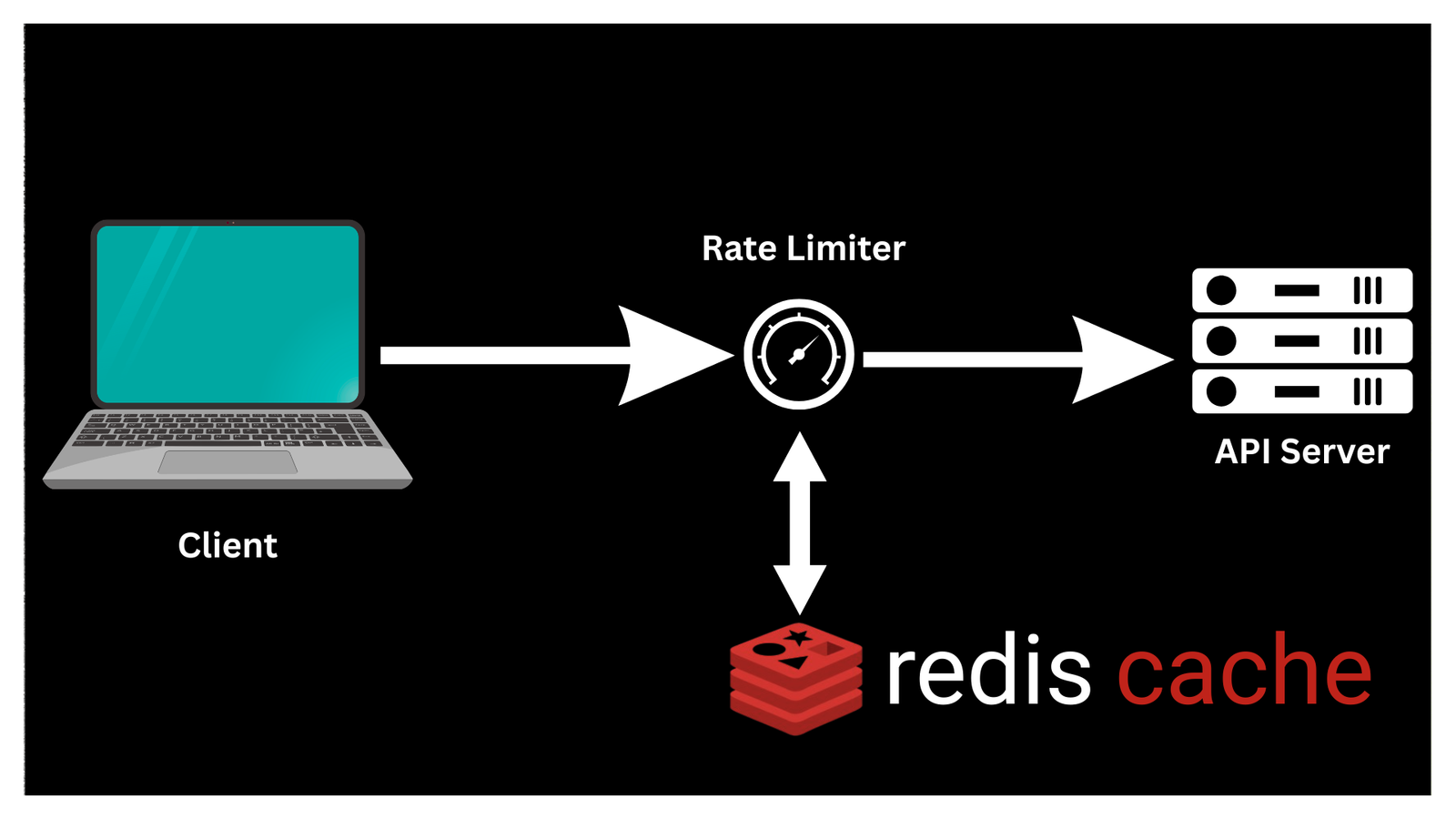
I've reached for express-rate-limit in memory, which works fine until you have more than one server process. Then each process has its own counter and users get five times the allowed requests. The fix is to centralize state, and Redis is the obvious place for it.
Here's what I've learned building this properly.
Why Fixed Windows Have a Bug
The obvious approach: store a counter per user per time window. Reset it every minute. Simple.
key: rate:user123:2024-03-01T14:00 → 47
The problem is the boundary. Say the limit is 100 requests per minute. A user makes 99 requests at 11:59:59, then 99 more at 12:00:01. They've made 198 requests in two seconds and your rate limiter let all of them through.
This is called the burst problem. Fixed windows allow double the limit at window boundaries, which is often fine but sometimes catastrophic.
Sliding Window Fixes It
Instead of "requests in this minute-long bucket," track "requests in the last 60 seconds from now." Every request gets a timestamp, you keep a sorted set, you count entries within the window.
ZADD rate:user123 1709301234.123 "req-uuid-1"
ZCOUNT rate:user123 (now - 60) now
No boundary burst. The window slides with you.
The catch is cleanup. You need to remove old entries or your Redis memory grows forever. Add a ZREMRANGEBYSCORE before counting:
ZREMRANGEBYSCORE rate:user123 -inf (now - 60)
ZCOUNT rate:user123 0 +inf
Now there are three operations. That's not atomic. Between the ZREMRANGEBYSCORE and the ZCOUNT, another request could sneak in. This is where Lua comes in.
Making It Atomic with Lua
Redis executes Lua scripts atomically. Nothing else runs while your script runs:
lua-- sliding_window.lua
local key = KEYS[1]
local window = tonumber(ARGV[1])  -- window size in seconds
local limit = tonumber(ARGV[2])
local now = tonumber(ARGV[3])     -- current timestamp in ms
local request_id = ARGV[4]

-- Remove entries outside the window
redis.call('ZREMRANGEBYSCORE', key, '-inf', now - (window * 1000))

-- Count remaining entries
local count = redis.call('ZCARD', key)

if count >= limit then
  -- Get oldest entry to calculate reset time
  local oldest = redis.call('ZRANGE', key, 0, 0, 'WITHSCORES')
  local reset_at = oldest[2] + (window * 1000)
  return {0, count, reset_at}
end

-- Add this request
redis.call('ZADD', key, now, request_id)
redis.call('PEXPIRE', key, window * 1000)

return {1, count + 1, -1}
The return values are [allowed, current_count, reset_timestamp]. That's enough to set the right response headers.
Calling this from Node.js:
typescriptimport { createClient } from 'redis'
import { readFileSync } from 'fs'
import { join } from 'path'
import { randomUUID } from 'crypto'

const client = createClient({ url: process.env.REDIS_URL })
await client.connect()

const script = readFileSync(
  join(__dirname, 'sliding_window.lua'),
  'utf-8'
)

interface RateLimitResult {
  allowed: boolean
  current: number
  resetAt: number | null
}

async function checkRateLimit(
  identifier: string,
  options: { window: number; limit: number }
): Promise<RateLimitResult> {
  const key = `rate:${identifier}`
  const now = Date.now()

  const [allowed, current, resetAt] = (await client.eval(script, {
    keys: [key],
    arguments: [
      String(options.window),
      String(options.limit),
      String(now),
      randomUUID(),
    ],
  })) as [number, number, number]

  return {
    allowed: allowed === 1,
    current,
    resetAt: resetAt === -1 ? null : resetAt,
  }
}
Wrapping It as Express Middleware
typescriptimport { Request, Response, NextFunction } from 'express'

interface RateLimitOptions {
  window: number   // seconds
  limit: number
  keyFn?: (req: Request) => string
}

export function rateLimit(options: RateLimitOptions) {
  const { window, limit, keyFn } = options

  return async (req: Request, res: Response, next: NextFunction) => {
    const identifier = keyFn
      ? keyFn(req)
      : req.ip ?? 'unknown'

    const result = await checkRateLimit(identifier, { window, limit })

    // Always set headers so clients know their state
    res.setHeader('X-RateLimit-Limit', limit)
    res.setHeader('X-RateLimit-Remaining', Math.max(0, limit - result.current))

    if (result.resetAt) {
      res.setHeader(
        'X-RateLimit-Reset',
        Math.ceil(result.resetAt / 1000)
      )
    }

    if (!result.allowed) {
      res.status(429).json({
        error: 'Too many requests',
        retryAfter: result.resetAt
          ? Math.ceil((result.resetAt - Date.now()) / 1000)
          : window,
      })
      return
    }

    next()
  }
}
Usage is clean:
typescript// 100 requests per minute per IP
app.use('/api/', rateLimit({ window: 60, limit: 100 }))

// 5 login attempts per 15 minutes per email
app.post('/auth/login',
  rateLimit({
    window: 900,
    limit: 5,
    keyFn: (req) => `login:${req.body.email}`,
  }),
  loginHandler
)
The Token Bucket Alternative
Sliding windows are great but they penalize bursty-but-legitimate usage. An API client might genuinely need to make 20 requests in one second, then nothing for the rest of the minute.
The token bucket algorithm handles this better. You have a bucket that fills at a fixed rate. Each request consumes a token. You can burst up to the bucket capacity, but your sustained rate is capped by the refill rate.
lua-- token_bucket.lua
local key = KEYS[1]
local capacity = tonumber(ARGV[1])      -- max tokens
local refill_rate = tonumber(ARGV[2])   -- tokens per second
local now = tonumber(ARGV[3])           -- current timestamp in seconds (float)
local requested = tonumber(ARGV[4])     -- tokens to consume (usually 1)

local bucket = redis.call('HMGET', key, 'tokens', 'last_refill')
local tokens = tonumber(bucket[1]) or capacity
local last_refill = tonumber(bucket[2]) or now

-- Calculate how many tokens to add since last request
local elapsed = now - last_refill
local new_tokens = math.min(capacity, tokens + (elapsed * refill_rate))

if new_tokens < requested then
  -- Not enough tokens
  redis.call('HMSET', key, 'tokens', new_tokens, 'last_refill', now)
  redis.call('EXPIRE', key, math.ceil(capacity / refill_rate) + 1)
  return {0, new_tokens}
end

new_tokens = new_tokens - requested
redis.call('HMSET', key, 'tokens', new_tokens, 'last_refill', now)
redis.call('EXPIRE', key, math.ceil(capacity / refill_rate) + 1)

return {1, new_tokens}
Which Algorithm to Use
Sliding window if:
- Your limits are simple (N requests per period)
- You want to be strict about the window
- The implementation complexity is a concern for your team
Token bucket if:
- You want to allow bursts
- You're rate limiting expensive operations with different costs (weight each request differently by passing
requested > 1) - You're modeling something closer to a real resource budget
Both are production-viable. I tend to reach for sliding window first because it's easier to explain to stakeholders: "you get 100 requests per minute, the window slides" is a cleaner user story than "you start with 100 tokens that refill at 1.67 per second."
One More Thing: What to Do When Redis Is Down
Rate limiters are infrastructure. Redis goes down sometimes. Your choices:
- Fail open — allow all requests when Redis is unavailable. Correct choice for most apps; you'd rather serve traffic than block everyone.
- Fail closed — block all requests. Correct if you're protecting something expensive or security-critical.
- Local fallback — fall back to a per-process in-memory limiter. Imperfect but better than either extreme.
My default is fail open with an alert. The rate limiter failing means something else is wrong; fix that first.
typescriptasync function checkRateLimit(
  identifier: string,
  options: { window: number; limit: number }
): Promise<RateLimitResult> {
  try {
    // ... redis call
  } catch (err) {
    console.error('Rate limiter Redis error, failing open:', err)
    // Optionally: report to your error tracking service
    return { allowed: true, current: 0, resetAt: null }
  }
}